What's new

Every update, in one place.

What changed in each release of Pocket HDRI.

0.4
5 October 2026 · build 9

A brand-new stitcher.

The way your photos are joined into a sphere has been rebuilt from scratch. Cleaner seams, no more see-through doubles — and a finished HDRI in under a minute.

New stitcher

No more ghosting.

Every part of the sphere now comes from a single photo, and the cuts between photos are placed where the images agree — along a wall or a kerb rather than through the middle of a chair.

Objects close to the lens used to blend into translucent doubles. Now they stay solid. Indoors, where things are close, this is the difference you'll notice most.
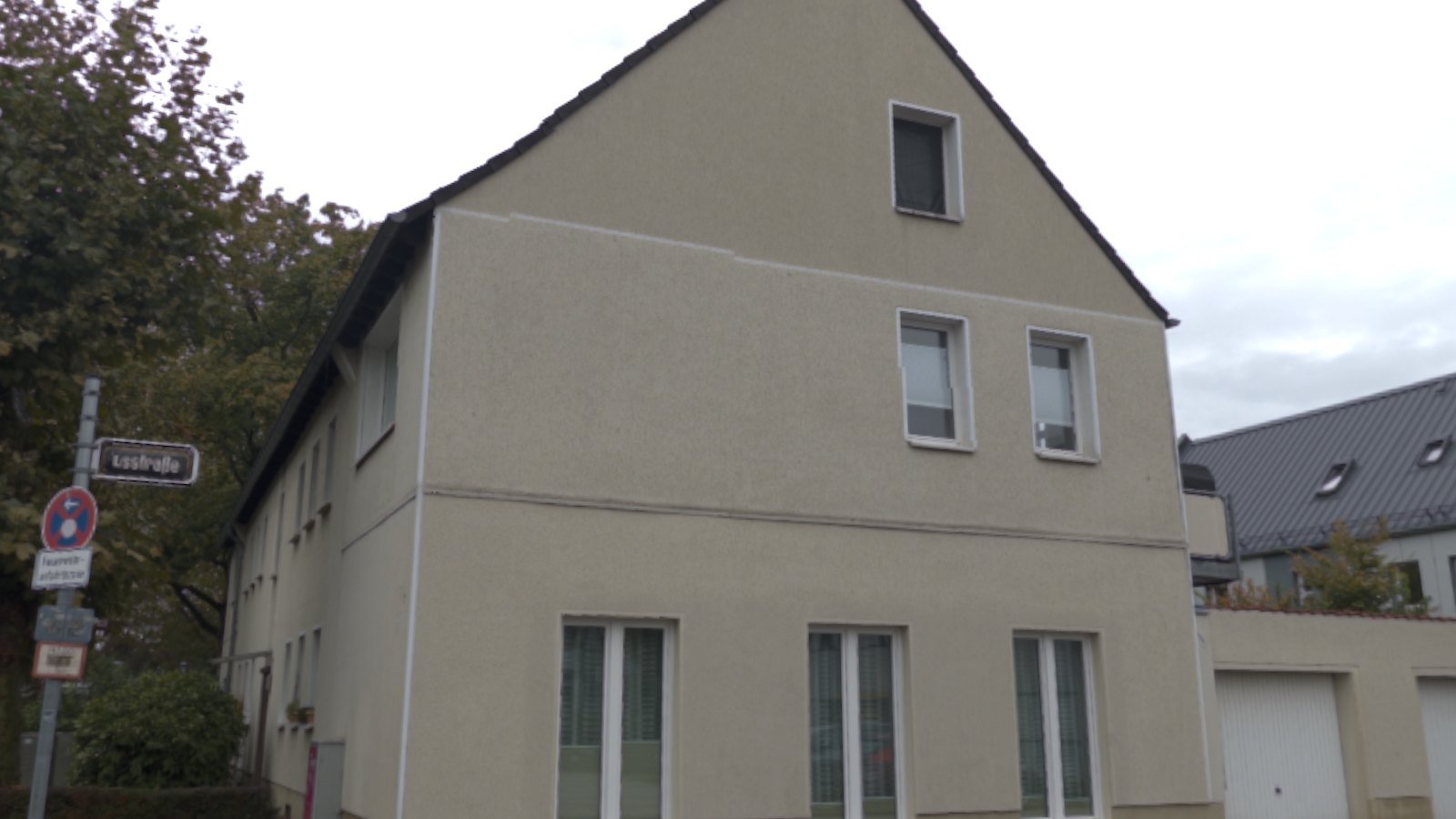
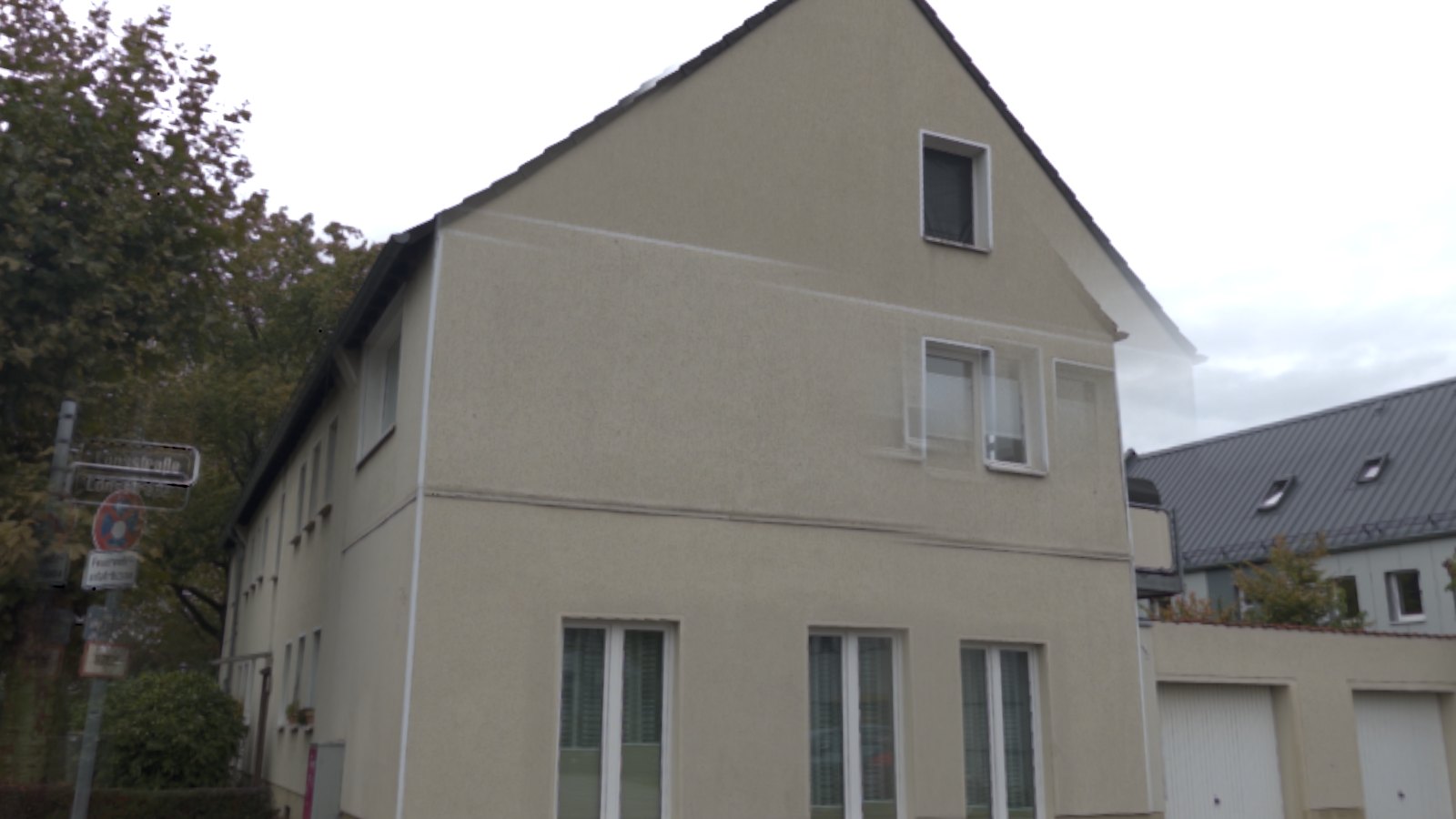
A house stitched by 0.4: sharp windows and a clean gable The same capture stitched by 0.3: the first-floor windows are doubled and the gable has a see-through ghost 0.30.4
Before / after comparison
media/whatsnew/0.4-seams-before.jpg + -after.jpg

Drag to compare the same capture, stitched by 0.3 and rebuilt by 0.4.
Speed

A finished HDRI in under a minute.

A full 28-photo sphere now builds in under a minute on iPhone 17 — about 15 seconds faster than 0.3, while putting far more care into every seam. And it keeps going if you lock your phone or switch apps.

The stitcher also checks its own work: where the scene has enough detail it lines photos up by matching what's in them, and where it can't be sure — blank walls, things right in front of the lens — it trusts the phone's motion sensors instead of guessing.

Build time · iPhone 17
Merge exposuresAlign & stitch
0.3≈ 70 s
21 s
≈ 48 s
0.455 s
21 s
34 s
0 s255075 s

The 0.3 figure is approximate, from the 0.3 test builds.

Export

Your exposure travels with the file.

Set the brightness you like in the 3D preview and Pocket HDRI remembers it for that capture — and your exported EXR opens at exactly that brightness in your 3D app.

It's a pure exposure shift: the light in the file keeps every ratio it had, so nothing is lost. Try the slider below.

Drag to look · scroll to zoom
EXPOSURE +0.0 EV

A real capture, downsampled for the web. In the app, the value you set here is what your export uses.

Also in 0.4

  • Keep it level — an orange glow builds at the screen edge as you tilt, and a warning appears over the crosshair before it costs you the horizon.
  • Tilted shots are thrown away automatically — and the dot comes back so you can retake it.
  • Feel the tilt — a gentle, steady hum starts as you approach the limit.
  • The camera no longer fires on its own while the phone is tilted too far.
  • Raw exports now always include each photo's orientation, for any capture.
  • New About screen (ⓘ in the library) with version info and open-source credits.
  • More reliable background builds when you leave the app mid-build.
  • The library opens on its own when you finish a sphere, and the camera pauses while it's open.
  • New app icon — a brighter, higher-contrast sphere.
  • Export all the raw photos of a capture as a single .zip.
0.3
9 September 2026 · build 4

Lock your phone, keep building.

You no longer have to wait with the app open while your HDRI builds.

Background builds

Put your phone away. Your HDRI keeps building.

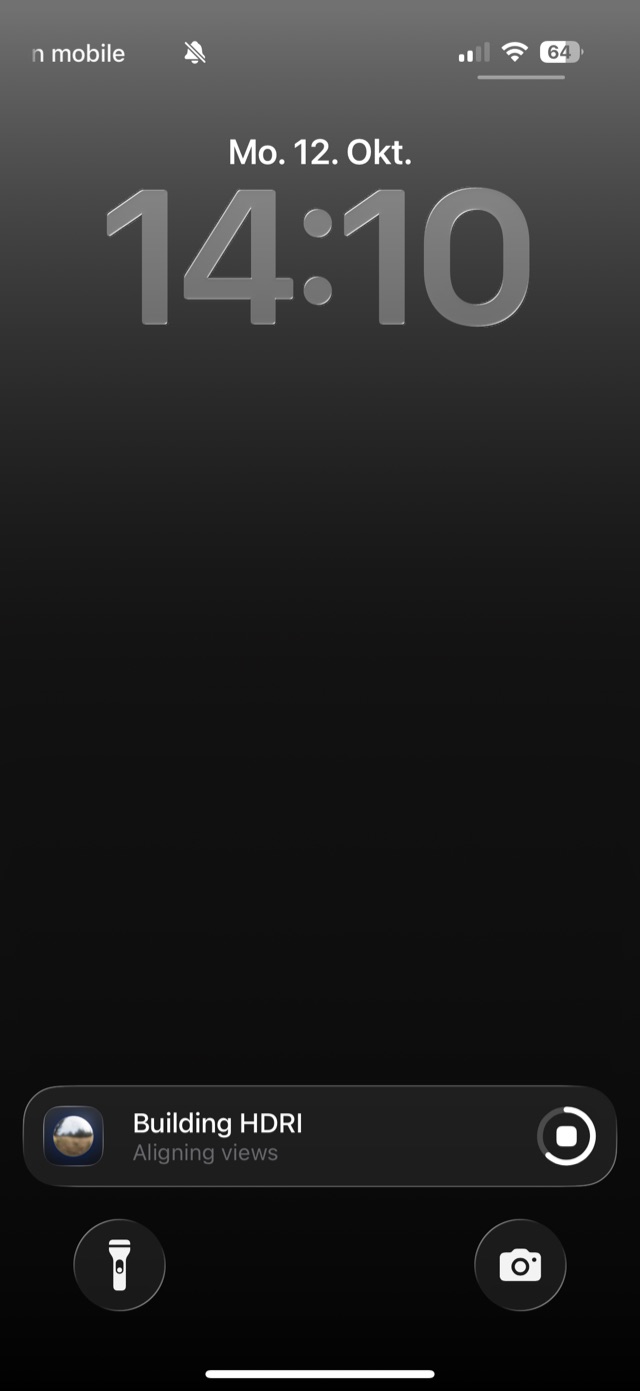
Start a build and lock your phone or switch apps — it keeps going. Progress shows on your Lock Screen and in the Dynamic Island, so you can see how far along it is without opening the app.

The Lock Screen with a Building HDRI progress card, reading Aligning views
0.2
16 August 2026 · build 3

A smoother capture.

Clearer guidance while you shoot, a warning when a photo might be blurry, and a proper welcome for first-time users.

Capture

Follow the dots, ring by ring.

The guide dots now come in a clear order: around the horizon first, then the ring above, the ring below, and finally straight up and straight down. You can finish early whenever you like.

1Horizon 2Upper ring 3Lower ring 4Straight up 5Straight down

Also in 0.2

  • Sharper photos — the camera waits until you've settled before it fires, and if a photo still moved you get a heads-up and can redo that view with one tap.
  • A short walkthrough the first time you open the app.
  • Choose interior or exterior from the pill at the top of the screen.
  • Select several HDRIs in the library to export or delete them together.
0.1
5 August 2026 · builds 1–2

First beta release.

Where it all started: a full 360° HDRI from your phone, as a real 32-bit EXR you can light a scene with.

Capture

A production HDRI in about a minute.

Follow the guide dots around you. At every one, Pocket HDRI shoots a bracket of RAW photos from dark to bright, then merges them into a scene-linear 32-bit EXR — the same kind of file you'd get from a dedicated HDRI rig.

Interior or exterior is detected from the light around you, so the exposure range fits the scene.

The sun

Keep the sun — or paint it out.

No phone can capture the sun's true brightness. So you can keep it, or let Pocket HDRI paint it out and record exactly where it was — ready to drop a CG sun into its place.

Build 2 made this ten times faster and let you switch back and forth without starting over.

Also in 0.1

  • Look around every capture in a 3D preview with an exposure slider.
  • A library of your HDRIs, ready to share as EXR.
  • Everything happens on your phone — no uploads, no account.
Feedback

Something we should build next?

Most of these changes started as a message from someone using the app. Tell us what would make your captures better at [email protected].